Smart Scheduling That Saves You 10+ Hours a Week
Stop juggling spreadsheets and sticky notes. GreenRoute's scheduling software gives you a drag-and-drop calendar, recurring job automation, and crew assignment tools that keep your entire team on the same page.
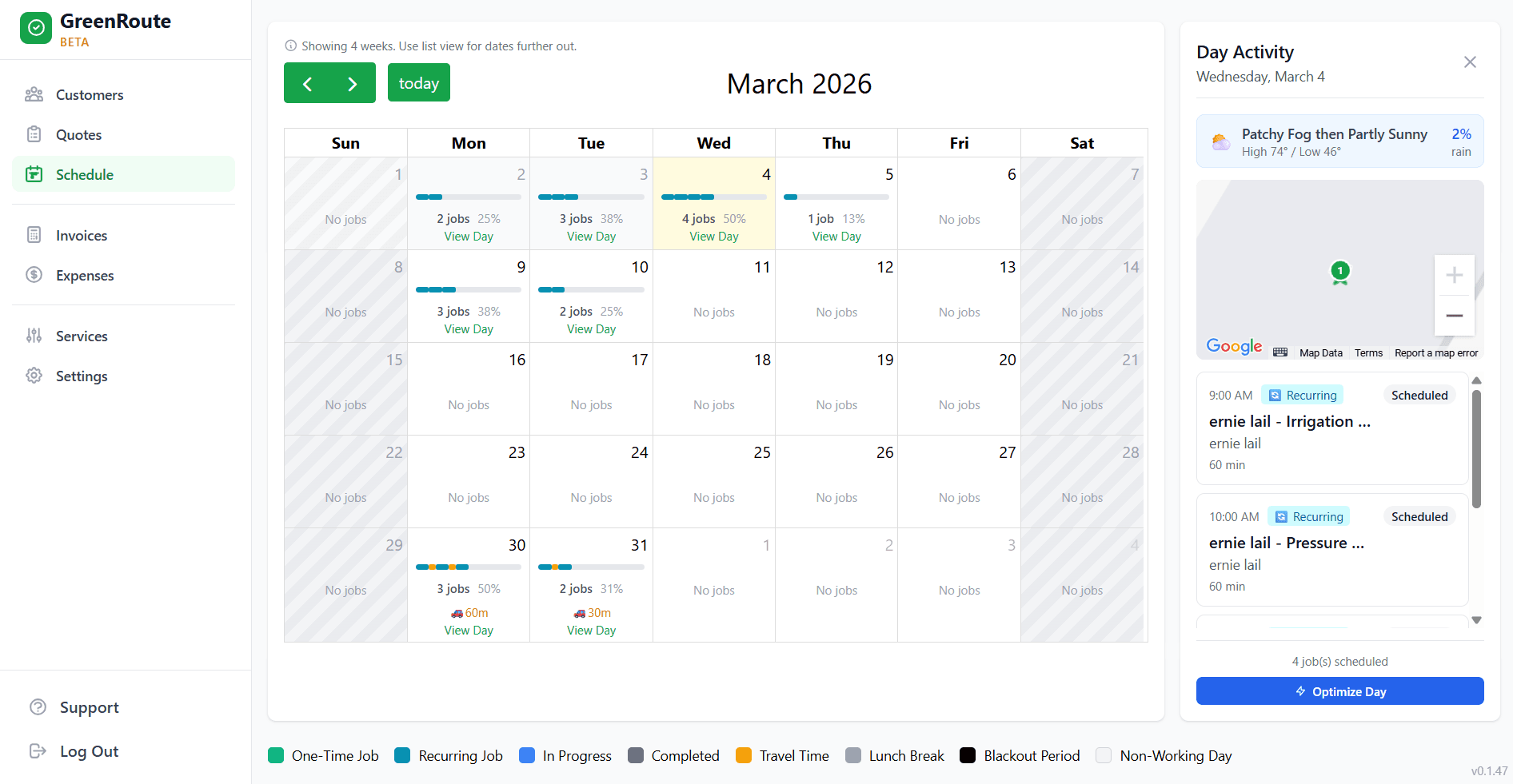
How It Works
Get your entire week organized in three simple steps.
Add Your Jobs
Add one-time or recurring jobs to your calendar. Enter the customer, property, and service type. GreenRoute remembers everything so you only set it up once.
Set Recurring Schedules
Choose weekly, biweekly, monthly, or custom frequencies. Jobs automatically populate your calendar for weeks ahead, so you never have to manually re-enter work.
Assign to Crews
Drag jobs to the right crew or team member. See everyone's workload at a glance so you can balance the day evenly and avoid overbooking anyone.
Scheduling Features That Save You Time
Every scheduling tool you need to run an organized, profitable service operation.
Drag-and-Drop Calendar
Move jobs between days and crews with a simple drag. View your schedule by day, week, or month. Color-coded by crew so you can see the whole picture at a glance.
Recurring Job Automation
Set it and forget it. Define a service frequency once and GreenRoute automatically generates future jobs on the calendar. Perfect for weekly visits, biweekly treatments, and seasonal work.
Crew Assignment
Assign jobs to specific crews or individuals. View each team's daily workload, capacity, and route so you can distribute work fairly and maximize productivity.
Conflict Detection
GreenRoute automatically flags double-bookings, overlapping time windows, and unrealistic travel times between jobs. Catch scheduling mistakes before they cost you a customer.
Frequently Asked Questions
Common questions about GreenRoute's scheduling software.
Can I set up recurring schedules for weekly jobs?
How does crew assignment work?
Does the scheduler handle rain days and weather conflicts?
Can multiple people access the schedule at the same time?
Is there a limit on the number of jobs I can schedule?
Related Features
Works even better together with these GreenRoute tools.
Route Optimization
Once your day is scheduled, optimize the driving order to cut fuel costs and serve more customers.
Learn more →Recurring Services
Automate repeating jobs so they show up on the schedule week after week with no effort.
Learn more →Weather Planning
Plan around the forecast so rain days don't throw off your entire week's schedule.
Learn more →Ready to Simplify Your Service Business?
Join service pros who save time, reduce costs, and grow their business with GreenRoute.
No credit card required • Free plan available • Cancel anytime