Know Every Customer, Every Property, Every Detail
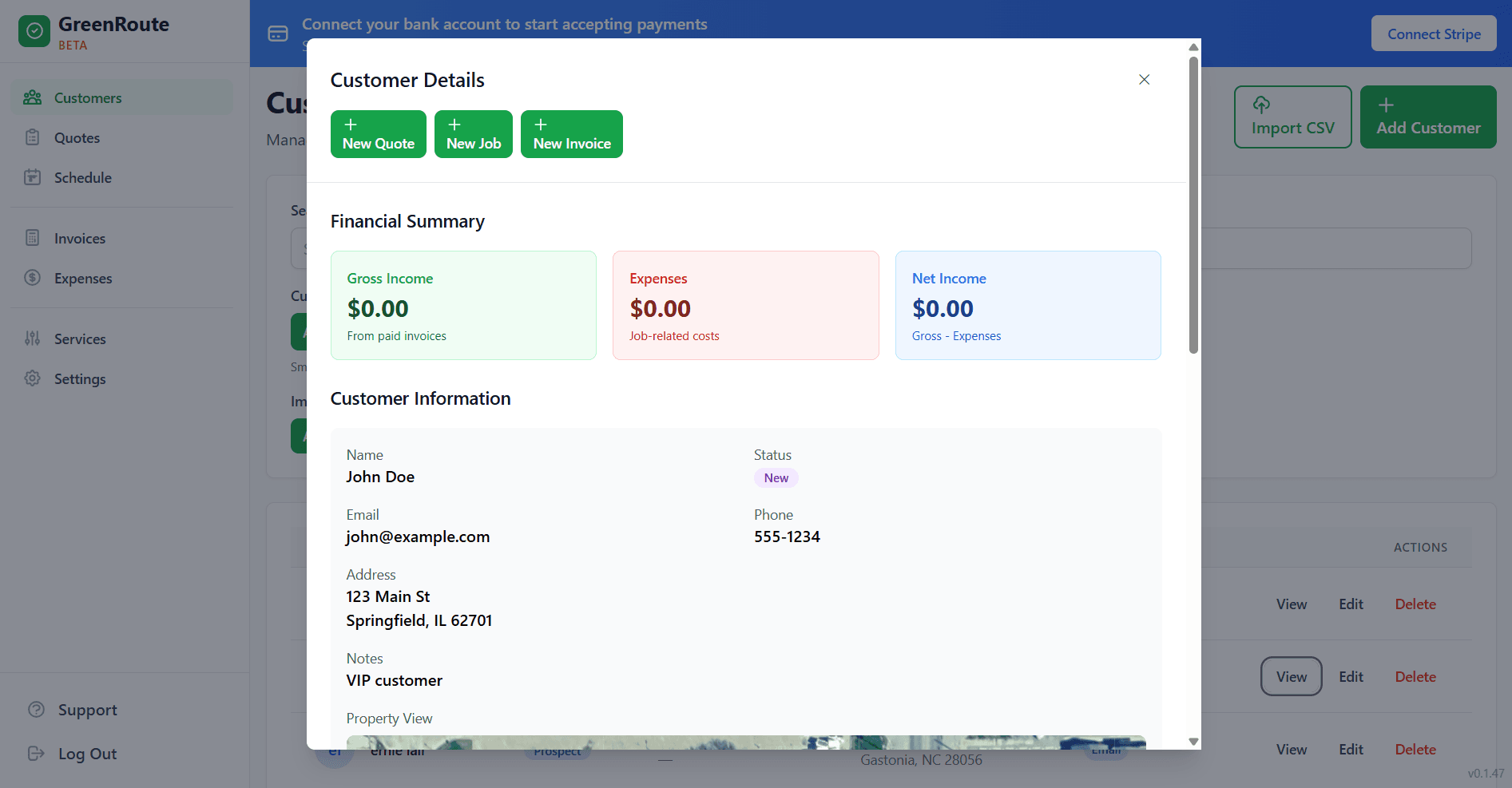
Stop losing track of customer details in notebooks and text messages. GreenRoute’s CRM puts every customer’s service history, property information, notes, and communication in one place your whole team can access.
How It Works
Get organized and stay on top of every customer relationship.
Import Your Customers
Upload your existing customer list via CSV or add customers one by one. GreenRoute captures names, addresses, phone numbers, emails, and property details from the start.
Track Everything
Every completed job, invoice, payment, note, and photo is automatically logged on the customer’s profile. Build a complete service history without any extra effort from your team.
Communicate Easily
Send invoices, quotes, appointment reminders, and service updates directly from the customer profile. Every communication is logged so your whole team knows what’s been said.
CRM Features Built for Service Pros
Not a generic CRM crammed into a service app. Every feature is designed for how you actually work.
Complete Service History
See every job ever performed at a property, when it happened, who did it, and what was charged. Answer customer questions instantly and never lose track of what was done.
Property Details
Record lot size, access details, gate codes, pet warnings, special instructions, and anything else your crew needs to know. Multiple properties per customer are fully supported.
Notes and Photos
Add notes from the office or the field. Take before-and-after photos from the mobile app. Document property conditions, customer requests, and crew observations for the full picture.
Communication Log
Every email, invoice, quote, and reminder sent through GreenRoute is logged on the customer profile. Your whole team can see the conversation history, so nobody sends a duplicate message or drops the ball.
Frequently Asked Questions
Common questions about GreenRoute's CRM.
Can I import my existing customer list?
Is there a limit on the number of customers I can manage?
Can I store multiple properties per customer?
Can my crew members add notes and photos from the field?
Related Features
Pair customer management with these tools for the full picture.
Ready to Simplify Your Service Business?
Join service pros who save time, reduce costs, and grow their business with GreenRoute.
No credit card required • Free plan available • Cancel anytime