Set It Once, Automate the Rest
Service work is repeat business. GreenRoute’s recurring service automation handles the scheduling, invoicing, and customer reminders so you can focus on the work instead of the admin.
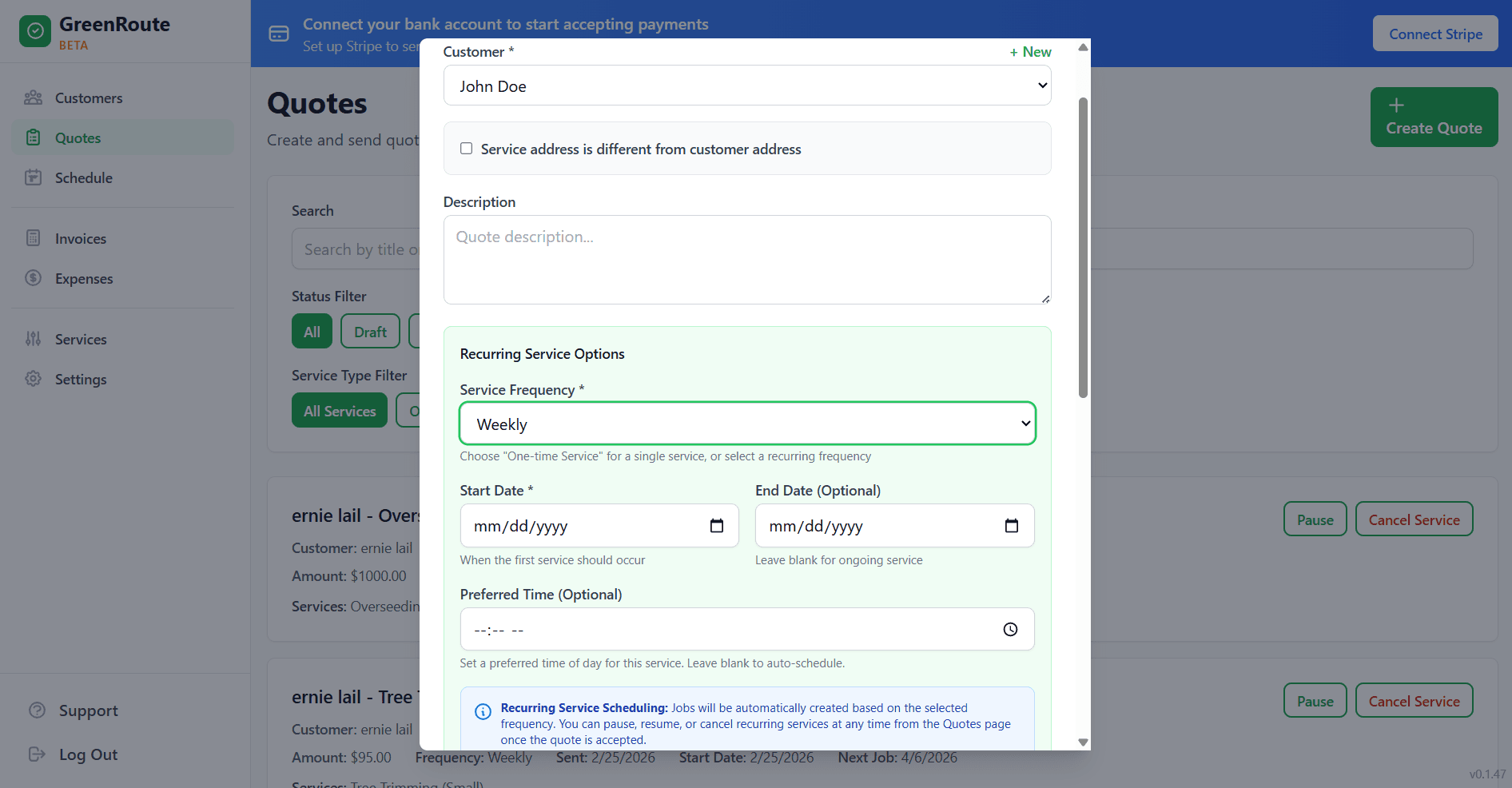
How It Works
Three steps to put your repeat work on autopilot.
Set the Frequency
Choose weekly, biweekly, monthly, or a custom frequency. Set optional seasonal start and end dates so services automatically pause during winter and resume in spring.
Jobs Auto-Schedule
GreenRoute automatically creates jobs on your calendar based on the frequency you set. They show up ready to assign to crews, with all the customer and service details pre-filled.
Invoices Auto-Generate
When a recurring job is marked complete, the invoice is automatically generated and sent to the customer. No manual invoicing needed. You can also batch-invoice at the end of the week or month.
Automation Features That Eliminate Admin Work
The less time you spend on paperwork, the more time you spend growing your business.
Weekly, Biweekly, Monthly, or Custom
Match any service schedule your customers need. Weekly visits, biweekly treatments, monthly maintenance plans, or custom intervals — GreenRoute handles them all.
Automatic Scheduling
Future jobs populate your calendar automatically. No Sunday night scramble to set up next week’s schedule. Just open your calendar and everything is already there, ready to go.
Auto-Invoicing
Invoices are generated and sent automatically when recurring jobs are completed. You can also choose to batch-invoice all recurring services at the end of each billing period. Either way, you never forget to bill a customer.
Customer Reminders
Automatically remind customers before their scheduled service. Reduce lockouts, cancellations, and “I forgot you were coming” situations. Customers appreciate the heads-up and you avoid wasted trips.
Frequently Asked Questions
Common questions about GreenRoute's recurring service automation.
What frequencies are supported for recurring services?
Can I skip or pause a single occurrence without canceling the series?
Do recurring services automatically generate invoices?
Will my customers get reminders before each service?
Related Features
Recurring services integrate tightly with these GreenRoute tools.
Ready to Simplify Your Service Business?
Join service pros who save time, reduce costs, and grow their business with GreenRoute.
No credit card required • Free plan available • Cancel anytime